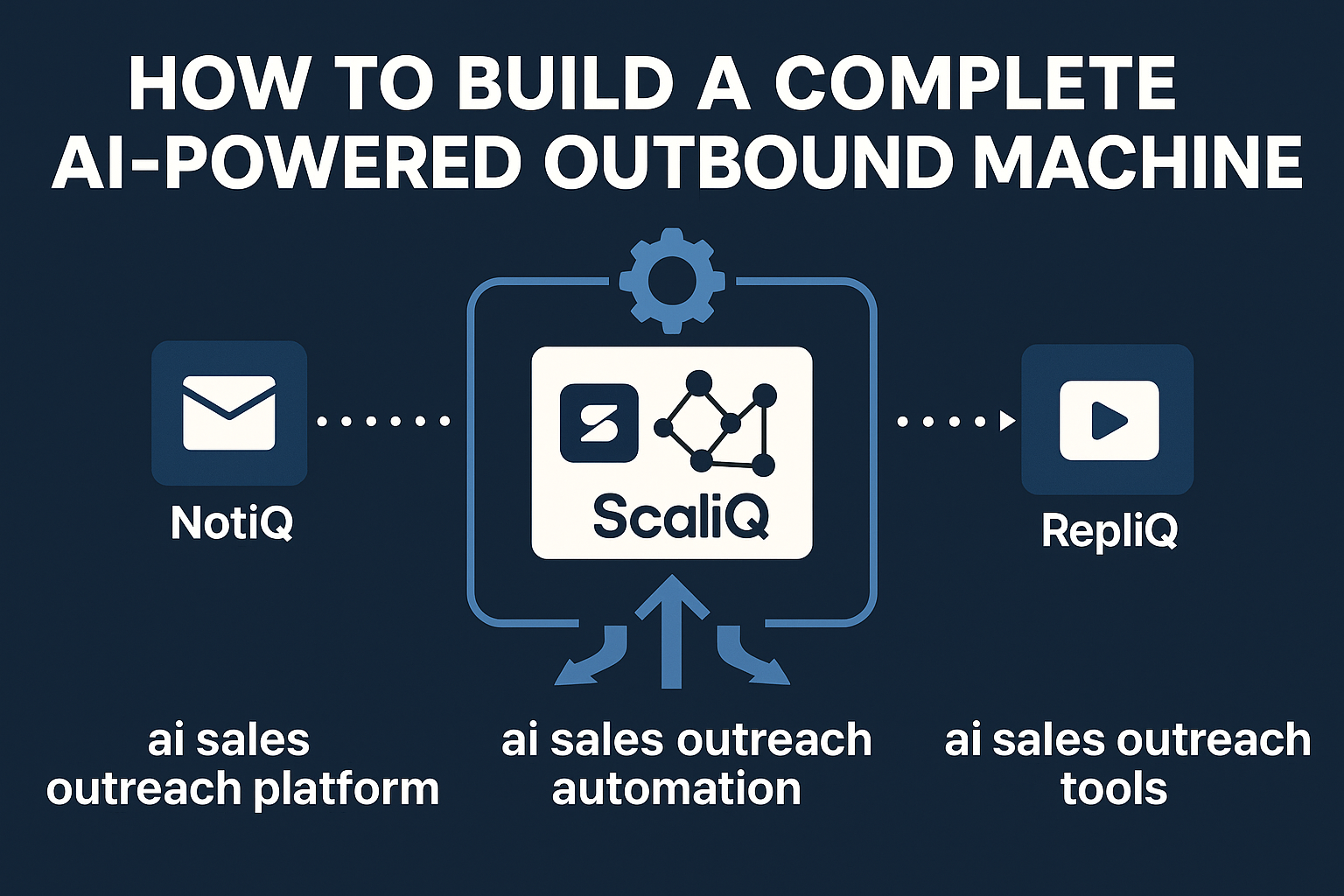
How to Build a Complete AI‑Powered Outbound Machine With ScaliQ + RepliQ + NotiQ
Scaling outbound is no longer a copywriting problem—it is an engineering problem.
For years, sales development representatives (SDRs) relied on brute force: more emails, more calls, more activity. Today, AI-first revenue teams are replacing these manual workflows with fully orchestrated, multi-channel systems that run 24/7. The goal is not just automation; it is intelligent orchestration that mimics human personalization at a volume no human could sustain.
However, traditional outbound breaks at scale. Personalization decays as volume increases, tools become fragmented, and domain reputation crumbles under the weight of poorly managed sending patterns.
This guide provides a technical blueprint for solving these friction points using a modular, three-tool AI stack: ScaliQ (orchestration), RepliQ (video personalization), and NotiQ (deliverability and inboxing). Drawing from experience powering outbound stacks for over 10,000 users, we will break down how to build an engine that balances volume with hyper-relevance.
We will also reference optimization models, such as the NOAH framework study (arXiv), to demonstrate how AI-driven decisioning outperforms static linear sequencing in modern sales environments.
Why Traditional Outbound Breaks at Scale
Most sales organizations hit a ceiling when they attempt to scale beyond 50 emails per day per rep. The friction is rarely a lack of leads; it is a failure of infrastructure.
The Fragmentation Problem
Traditional stacks often rely on disconnected tools: one for email sequencing, another for LinkedIn automation, and a third for video creation. Data does not flow seamlessly between them. If a prospect replies on LinkedIn, the email sequencer often fails to pause, leading to embarrassing "double-touches." This fragmentation limits scale because SDRs spend more time managing tool logistics than engaging with prospects.
Failure Points in High-Volume Campaigns
- Personalization Decay: As volume increases, the depth of research drops. Generic templates replace specific insights, causing reply rates to plummet.
- Follow-up Inconsistency: Manual tasks slip through the cracks. A prospect who opens an email three times might not get a call because the signal was lost in a siloed dashboard.
- Domain Damage: Aggressive scaling without reputation management triggers spam filters. Once a domain is burned, it takes months to recover.
Founders and sales leaders require predictable systems, not heroic individual efforts. Unlike all-in-one tools that offer "good enough" features across the board but excel at none, a modular stack allows for best-in-class performance at every layer: orchestration, personalization, and deliverability.
Note: When designing high-volume systems, adherence to compliance is non-negotiable. Refer to the FTC CAN-SPAM guidelines to ensure your scaling strategies remain legally compliant.
Core Architecture of an AI-Orchestrated Outbound System
To build a machine that scales without breaking, you must view your stack as a modular architecture consisting of three distinct layers. This approach allows for "separation of concerns," ensuring that a failure in one area (e.g., a video rendering delay) does not halt the entire system.
The data flow follows a strict path:
Prospect Data → Segmentation → Sequence Generation (Orchestration) → Channel Branching (Personalization) → Send Logic (Deliverability) → Monitoring.
Academic research into intelligent systems, such as the NOAH framework study (arXiv), highlights that optimizing complex workflows requires a central "brain" to manage resource allocation and decision-making. In outbound sales, this means your orchestration layer must be the absolute source of truth.
Component 1 — The Orchestration Layer
The orchestration layer is the brain of your operation. It controls who gets contacted, when, and through which channel.
ScaliQ functions as this central command center. Unlike basic sequencers that follow a linear path (Email 1 → Wait 2 Days → Email 2), an orchestration engine uses logic gates and branching conditions.
- Sequence Logic: If a prospect has high intent scores (e.g., multiple website visits), route them to a "High Priority" branch with faster cadence.
- Engagement Tracking: If a prospect views a LinkedIn profile but doesn't accept a connection request, switch the next step to an email referencing the profile view.
- Persona-Based Generation: AI analyzes the prospect's title and industry to generate variant messages automatically, ensuring relevance without manual rewriting.
Discover how ScaliQ orchestrates complex multi-channel workflows.
Component 2 — The Personalization Layer
Static text templates are invisible to modern buyers. The personalization layer is responsible for generating dynamic content that proves human-level effort at scale.
RepliQ handles this by generating personalized videos and images for every prospect.
- Triggers: The orchestration layer signals RepliQ when a prospect reaches a specific step (e.g., "Step 2: Send Video").
- Rendering: RepliQ uses the prospect's website or LinkedIn profile as a background, overlaying a personalized video bubble where the SDR speaks directly to the prospect's context.
- Script Logic: Integration between ScaliQ and RepliQ ensures the voiceover or text overlay matches the specific pain points identified in the segmentation phase.
See how RepliQ automates video personalization for every prospect.
Component 3 — The Deliverability Layer
The most sophisticated message is useless if it lands in the spam folder. The deliverability layer protects your infrastructure.
NotiQ serves as the inboxing and domain health manager.
- Domain Rotation: To scale safely, you cannot send 1,000 emails from a single address. NotiQ rotates sending across multiple inboxes and domains to distribute the load.
- Reputation Scoring: Continuous monitoring of sender reputation ensures that if one domain shows signs of fatigue (e.g., dipping open rates), it is automatically paused for a "cooldown" period.
- Routing Rules: Traffic is routed based on inbox health, ensuring high-priority follow-ups are always sent from the healthiest domains.
For a deeper understanding of the legal framework surrounding commercial messaging, review the Cornell LII CAN-SPAM overview, which details the requirements for truthful header information and opt-out mechanisms.
Learn how NotiQ protects domain reputation and maximizes inbox placement.
How ScaliQ, RepliQ, and NotiQ Work Together
A modular system outperforms all-in-one solutions because it allows for specialized efficiency. Here is how the ecosystem functions as a unified machine:
System Diagram:
- ScaliQ (Control): Ingests leads, assigns personas, and initiates the workflow.
- RepliQ (Production): Receives a request from ScaliQ to generate a personalized asset (video/image). Returns the asset URL to ScaliQ.
- NotiQ (Distribution): Receives the finalized message from ScaliQ. Checks domain health. Selects the optimal inbox. Executes the send.
End-to-End Workflow Example
Let’s walk through a real-world sequence targeting a VP of Sales.
- Enrichment: The prospect enters the system. ScaliQ identifies them as a "Decision Maker" in the "SaaS" industry.
- Step 1 (Email): ScaliQ drafts an intro email. NotiQ routes it through a warmed-up domain.
- Branching:
- If Opened: Move to "Soft Interest" branch.
- If Clicked: Trigger "Hot Lead" alert to SDR.
- If No Action: Proceed to Step 2.
- Step 2 (Personalized Video): ScaliQ triggers RepliQ. RepliQ generates a video with the prospect’s LinkedIn profile in the background. The script references a common SaaS pain point.
- Step 3 (LinkedIn): A connection request is sent referencing the video sent via email.
Data Flow & Automation Logic
The system relies on bi-directional data flow. When NotiQ detects a bounce, it updates ScaliQ to stop the sequence immediately. When RepliQ finishes a video, it updates the contact record in ScaliQ with the unique video link. This eliminates manual copy-pasting and ensures that the right asset always goes to the right person.
Multi-Channel Sequencing and Personalization Workflows
To maximize conversion, you must meet prospects where they are. This requires unifying email, LinkedIn, and video into a cohesive narrative.
Email + LinkedIn Coordination
The "Double-Tap" strategy is highly effective when orchestrated correctly via ScaliQ:
- Day 1 (Email): Value-focused message.
- Day 1 (LinkedIn - 2 hours later): View profile (soft touch).
- Day 3 (LinkedIn): Connection request. Message: "Sent you an email regarding [Topic] on Tuesday, wanted to put a face to the name."
- Day 5 (Email): Bump email.
AI orchestration ensures that if the prospect replies to the email on Day 2, the LinkedIn connection request on Day 3 is automatically cancelled or modified.
Video Personalization Branches
Video should be used strategically, not randomly. AI logic dictates that video is most effective when:
- High-Ticket Prospects: The potential LTV justifies the rendering cost.
- Visual Products: You need to show, not just tell.
- Pattern Interrupt: The prospect has ignored text-based emails.
Script Logic Example:
- Hook: "Hi [Name], I was looking at [Company]’s pricing page..."
- Insight: "...and noticed you’re using [Competitor Tech]."
- CTA: "I recorded this 30-second audit on how we compare. Worth a look?"
Adaptive Messaging Based on Engagement
Traditional sequences are rigid. AI-powered sequences are adaptive.
- No Open: The system assumes the subject line failed. The next email uses a radically different angle.
- Open but No Reply: The prospect is interested but busy. The next email is short, text-only, and asks a binary question (e.g., "Is this a priority for Q3?").
- Click: The prospect is evaluating. The system triggers a LinkedIn voice note task for the SDR to add a personal touch.
Deliverability, Optimization, and Scaling Safely
You cannot scale an outbound machine if your infrastructure is crumbling. AI systems must be built on a foundation of "Deliverability Engineering."
Domain & Inbox Health
Monitoring signals is critical. NotiQ tracks:
- Bounce Rate: Must stay under 2%.
- Spam Complaint Rate: Must stay under 0.1%.
- Spam Traps: Hitting these indicates poor data quality.
Warmup Automation: NotiQ automatically engages in peer-to-peer communication with other secure inboxes to generate positive engagement signals (opens, replies, marking as "not spam"). This builds a reputation buffer that protects your domain during high-volume campaigns.
Refer to the FTC CAN-SPAM guidelines to ensure your opt-out mechanisms and physical address inclusion meet legal standards, further protecting your domain reputation.
Deliverability Engineering Playbook
- Authentication: SPF, DKIM, and DMARC must be configured correctly. Strict DMARC policies prevent spoofing.
- Sending Patterns: Humans do not send 500 emails at exactly 9:00 AM. NotiQ randomizes send times (e.g., 9:03, 9:14, 9:27) to mimic human behavior.
- Link Safety: Avoid using public URL shorteners (like bit.ly) which are often blacklisted. Use custom tracking domains provided by your orchestration tool.
Troubleshooting Scaling Issues
- Sudden Drop in Open Rates: Usually indicates a domain reputation hit. Fix: Pause the affected domain in NotiQ, route traffic to backup domains, and run an aggressive warmup cycle for 14 days.
- Throttling: If Google or Outlook delays your messages, you are sending too fast. Fix: Reduce per-inbox volume and increase the time delay between sends in ScaliQ.
Case Studies / Real-World Examples
Case Study 1 — Scaling From 200 to 2,000 Emails/Day Safely
A B2B SaaS company struggled to scale beyond 200 emails/day without hitting spam folders.
- Solution: They implemented NotiQ to manage a fleet of 10 domains and 30 inboxes. ScaliQ managed the load balancing.
- Result: They successfully scaled to 2,000 emails/day within 6 weeks. Open rates remained stable at 45% due to intelligent rotation, resulting in a 10x increase in pipeline volume.
Case Study 2 — Multichannel Personalization Increases Replies by 3–5×
An agency targeting e-commerce founders saw diminishing returns on text-only emails.
- Solution: They integrated RepliQ to generate audit videos of the prospects' store checkout pages. ScaliQ triggered these videos only for prospects with revenue >$1M.
- Result: The video branch achieved a 12% reply rate compared to 2.5% on the text-only branch. The visual proof of competence drastically shortened the sales cycle.
Tools, Templates, and System Setup Checklist
To build this machine, follow this execution checklist.
Technical Prerequisites:
- Purchase 5–10 secondary domains (e.g., getcompany.com, trycompany.com).
- Set up Google Workspace or Outlook for each domain (2–3 inboxes per domain).
- Configure DNS: SPF, DKIM, DMARC.
- Connect inboxes to NotiQ for warmup (minimum 14 days before launching).
Architecture Templates
- ScaliQ: Define 3 core segments (e.g., CEO, VP Sales, Ops).
- RepliQ: Create 1 generic video template and 1 website-background template.
- Integration: Map data fields (First Name, Company, Website URL) across all three tools.
Sequence Prompt Templates
- Prompt for AI: "Generate a 3-step email sequence for a [Persona] at a [Industry] company. Focus on [Pain Point]. Tone should be conversational and direct. Include placeholders for video assets."
Deliverability Setup Checklist
- Set daily limit per inbox to 30 (ramp up to 50 max).
- Enable "Reply Detection" to stop sequences automatically.
- Set minimum delay between emails to 300–600 seconds.
Future Trends & Expert Predictions
The future of outbound is autonomous. We are moving from "Automated Workflows" to "Autonomous Agents."
- Autonomous Execution: Soon, agents will not just follow a sequence; they will dynamically research a prospect, decide the best channel, write the message, and even negotiate meeting times without human intervention.
- Intent-Based Routing: Systems will ingest real-time intent data (e.g., G2 reviews, hiring spikes) to trigger outbound instantly, rather than waiting for a static list upload.
- Hyper-Compliance: As AI regulations tighten, tools that prioritize ethical data use and transparent opt-out mechanisms (like the NotiQ/ScaliQ stack) will win over "growth hack" tools that rely on gray-hat tactics.
Conclusion
Building a complete AI-powered outbound machine is an architectural challenge, not a creative one. By decoupling orchestration, personalization, and deliverability, you create a system that is resilient, scalable, and highly effective.
The combination of ScaliQ for intelligent workflow management, RepliQ for deep personalization, and NotiQ for inbox protection represents the modern standard for revenue teams. This modular stack allows you to scale volume without sacrificing the human touch that drives conversions.
The era of manual SDR grinding is over. The era of the AI outbound engineer has begun.
FAQ
What is an AI-powered outbound system?
An AI-powered outbound system is a sales automation architecture that uses artificial intelligence to manage prospect data, generate personalized content, and optimize message delivery across multiple channels (email, LinkedIn, video) to maximize engagement.
How do ScaliQ, RepliQ, and NotiQ integrate?
ScaliQ acts as the central controller (orchestrator), sending triggers to RepliQ to generate personalized assets and routing finalized messages through NotiQ, which manages the technical delivery and domain health.
How do I scale outbound without damaging domain reputation?
You must use a multi-inbox, multi-domain strategy. Tools like NotiQ allow you to rotate sending volume across dozens of inboxes so no single domain exceeds safe limits (typically 30–50 emails/day/inbox), while simultaneously running warmup scripts.
How does AI improve reply rates?
AI improves reply rates by enabling hyper-personalization at scale. Instead of generic templates, AI can reference specific prospect data (news, website content, LinkedIn activity) in every message, making the outreach feel bespoke and relevant.
Why use a modular 3‑tool stack instead of an all‑in‑one platform?
All-in-one platforms often compromise on depth. A modular stack allows you to use the best-in-class tool for each specific function—orchestration, video generation, and deliverability—resulting in higher performance, better flexibility, and reduced risk of total system failure.