How to Combine LinkedIn + Email Outreach for Maximum Replies (A 2025 Multichannel Blueprint)
Single-channel outreach is rapidly losing its effectiveness. If you are relying solely on cold email or exclusively on LinkedIn messaging, you are likely seeing diminishing returns. Open rates are tightening, inboxes are crowded, and prospects are more skeptical than ever.
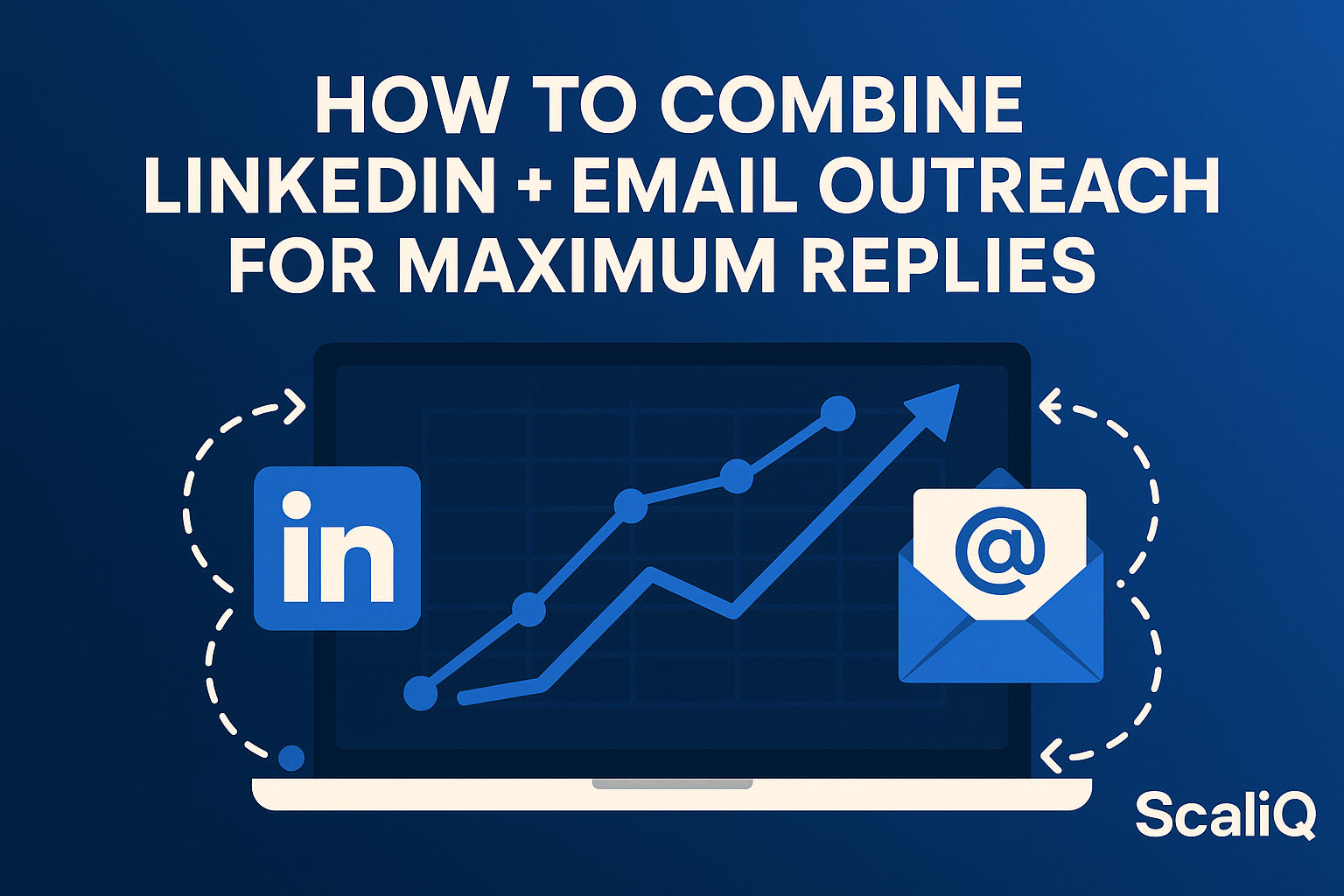
Data from recent industry studies suggests that a multichannel approach—specifically combining LinkedIn touches with email follow-ups—can boost reply rates by 3–5x compared to single-channel efforts. The logic is simple: familiarity breeds trust. When a prospect recognizes your face from a LinkedIn interaction, your subsequent email is no longer "cold"; it is "warm."
This guide provides a proven LinkedIn-to-email framework designed for 2025. We will cover the exact timing, messaging psychology, and AI-powered workflows needed to execute this at scale. Furthermore, we will explore how tools like ScaliQ act as the essential orchestrator, unifying these fragmented channels into a cohesive, AI-driven engine that maximizes engagement while maintaining strict compliance.
Why LinkedIn-to-Email Beats Single-Channel Outreach
The era of "spray and pray" email blasting is over. Today’s B2B buyers require multiple touchpoints across different environments to build the cognitive trust necessary for a conversation. LinkedIn serves as the "social proof" layer, while email serves as the "business transaction" layer.
By warming up a prospect on LinkedIn first, you humanize your outreach. You move from being a faceless email address to a real professional with a visible network and history. This transition is critical because it leverages the psychological principle of mere exposure—people prefer things (and people) they have seen before.
Fragmented outreach—where your email tool doesn't know what happened on LinkedIn—leads to awkward overlaps and missed opportunities. A unified strategy solves this by ensuring every touchpoint is context-aware.
For those struggling with the technical complexity of running two channels simultaneously, ScaliQ provides the infrastructure to solve single-channel limitations, ensuring your data and workflows bridge the gap seamlessly.
The Science Behind Multichannel Trust-Building
Trust is a cognitive calculation. According to research on "cognitive fluency," the human brain prefers processing information that feels familiar. When a prospect sees your name on LinkedIn (via a profile view or a like), and then sees it again in their inbox 24 hours later, their brain processes your email with less friction.
This familiarity effect is powerful. Social selling data indicates that acceptance rates for connection requests and replies to emails increase by up to 50% when the recipient has been "warmed up" through prior passive engagement. LinkedIn provides the social proof—your headline, mutual connections, and activity—that validates your identity before you ever ask for a meeting.
Why Email Works Better After Social Engagement
Email is an effective direct response channel, but it suffers from a lack of context. Social engagement provides that context. Psychology dictates that reciprocity is triggered more easily in social environments. Once a small social interaction occurs, the prospect is primed for a more substantial request via email.
A "hybrid workplace communication study" highlights that modern professionals toggle between instant messaging (like Slack or LinkedIn) and asynchronous email constantly. The study suggests that communication received across two distinct modalities (social + email) is retained better than repeated messages on a single channel. By aligning your sequence with this behavior, you meet the prospect where they are, rather than forcing them into a single inbox.
The Optimal Multichannel Sequence and Timing
The difference between being persistent and being annoying is timing. A high-performing multichannel campaign relies on a specific cadence that respects the prospect's attention span while remaining visible enough to provoke a response.
Below is the optimal blueprint for 2025. It is designed to move from low-friction social touches to high-value email propositions.
The 8-Touch LinkedIn-to-Email Sequence (Proven Model)
This sequence is designed to span approximately 3–4 weeks. It moves from passive observation to active engagement.
- Day 1 (LinkedIn): Profile View. Visit their profile. This triggers a notification: "X viewed your profile." It is a subtle, non-intrusive wave.
- Day 1 (LinkedIn): Follow. Do not connect yet. Just follow. This puts their content in your feed and notifies them again.
- Day 3 (LinkedIn): Soft Interaction. Like or comment on a recent post. If they haven't posted, endorse a skill (use with caution, ensure it is relevant).
- Day 5 (LinkedIn): Connection Request. Send a request with a blank or highly contextual note (no pitching).
- Day 6 (Email): The Intro. If they accept (or if you have their email via compliant enrichment), send the first email. Reference the LinkedIn connection: "Great connecting on LinkedIn yesterday..."
- Day 9 (LinkedIn): The Nudge. Send a voice note or short text message thanking them for the connection.
- Day 12 (Email): Value Follow-Up. Send a case study or insight. No hard ask.
- Day 16 (Email): The Breakup. A polite "Is this not a priority?" email to close the loop.
Timing Rules That Maximize Replies
The intervals between touches are just as important as the touches themselves. You must account for the "recency effect"—the tendency to remember the most recent stimulus.
- The 24-Hour Rule: If they accept your connection request, email them within 24 hours while your name is still fresh in their short-term memory.
- The Decay Curve: Academic insights on communication patterns show that interest decays rapidly after 48 hours. If you wait a week to email after connecting, you have lost the "warm" status.
- Pattern Interrupts: Do not send every message at 9:00 AM on Tuesdays. Vary your timing to appear organic rather than automated.
What Messages Work Best at Each Stage
The medium dictates the message.
- LinkedIn (Social Micro-Touch): Keep it conversational, short, and informal. Think of this as a chat at a networking event.
- Framework: "Hi [Name], saw your post about [Topic]. Really agreed with your point on X. tough to execute in practice though. extensive background in [Industry]?"
- Email (Value-Touch): This is where you deliver substance. You have more space, but keep it concise.
- Framework: "Hi [Name], noticed you're scaling the sales team. Usually, that brings chaos in data hygiene. We helped [Competitor] solve this by [Solution]. Is this on your radar for Q3?"
How to Warm Prospects on LinkedIn Before Emailing
Cold emailing a stranger is difficult. Emailing someone who has already engaged with your content is significantly easier. The goal of the "warm-up" phase is to create a digital handshake before you start the sales conversation.
Proper warm-up actions signal to email providers (like Google and Outlook) that you are a legitimate entity, indirectly aiding deliverability, while simultaneously lowering the prospect's defensive barriers.
Pre-Connection Warm-Up Actions
Before you ever click "Connect," you should execute "pre-touch" actions. These are low-effort actions that put your name in their notifications tab.
- The "Ghost" Visit: Visit their profile in private mode (if you have Premium) then again in public mode a day later.
- The Thoughtful Comment: Do not just say "Great post!" Write a 2-sentence comment that adds value or asks a question. This establishes your expertise.
- The React: A "Like" is cheap. A "Celebrate" or "Insightful" reaction stands out slightly more in the notification feed.
Writing Effective Connection Requests
The connection request is the gatekeeper. Most people fail here because they pitch immediately.
- Don't: "Hi [Name], I'd love to connect to discuss how we can save you 20% on..." (Immediate Reject).
- Do: "Hi [Name], saw we both work in [Industry] and are connected to [Mutual Connection]. Your recent post on [Topic] was spot on. Would love to follow your work."
Key Rule: If you pitch in the connection request, you poison the well for the email follow-up. Keep the request purely social.
Trigger-Based Warm-Up (Engagement Signals)
Advanced outreach relies on listening, not just talking. "Dynamic silos communication research" suggests that cross-channel engagement is most effective when triggered by user behavior.
- Profile Visit Trigger: If a prospect views your profile, that is a high-intent signal. Your workflow should immediately trigger a connection request.
- Post Interaction Trigger: If a prospect likes your post, trigger a DM: "Thanks for the support on my post about X!"
- Job Change Trigger: LinkedIn's "Changed Jobs" notification is a goldmine. Trigger a congratulatory note, followed by an email 3 days later about how you help new leaders in their role.
AI-Assisted Workflows for Consistent, Personalized Outreach
Manual execution of an 8-touch, multichannel sequence is impossible to scale beyond 10 prospects. To handle 100 or 1,000 prospects, you need AI assistance. However, unlike the "spam bots" of the past, 2025's AI workflows focus on relevance and timing.
Most competitors in the market offer either email automation or LinkedIn automation. Very few offer a truly unified workflow. This gap leads to errors, such as emailing someone who just told you "not interested" on LinkedIn.
AI Personalization That Scales for LinkedIn + Email
Modern AI tools can analyze a prospect's LinkedIn profile and recent posts to generate dynamic "icebreakers."
- Sentiment Analysis: AI can read the prospect's recent posts to determine their mood or stance on industry topics (e.g., "Frustrated with supply chain"). Your outreach can then mirror this sentiment.
- Trigger-Based Routing: If the AI detects a positive sentiment in a LinkedIn reply, it can automatically route the prospect to a "Hot Lead" email sequence. If the sentiment is neutral, it might route them to a "Nurture" sequence.
Automating Timing and Touchpoints
AI schedulers are now smart enough to understand "business hours" across different time zones without manual input. More importantly, they handle cross-channel decision-making.
- Scenario: The workflow is set to email on Day 3. However, on Day 2, the prospect replies to your LinkedIn message.
- AI Action: The AI automatically pauses the email sequence to prevent the "robot error" of emailing someone you are currently chatting with.
Consolidating Workflows to Avoid Fragmentation
The biggest enemy of multichannel outreach is a fragmented tech stack. Using one tool for LinkedIn and a different tool for email creates data silos. You need a centralized orchestration layer to manage the state of every prospect.
Tools like NotiQ serve as this orchestration layer, ensuring that your multichannel workflows are centralized. By consolidating signals, you reduce the risk of compliance errors and ensure a consistent narrative across channels.
Real Micro-Case Examples
- Case A (SaaS Sales): A rep switched from email-only to a "View + Comment + Email" workflow.
- Result: Reply rate jumped from 4% to 18% in 30 days.
- Case B (Agency Owner): Used AI to detect "hiring" signals on LinkedIn, triggering an immediate email about staffing solutions.
- Result: Booked 12 meetings in one week, reducing CAC by 40%.
Common Multichannel Mistakes and How to Fix Them
Even with the best tools, strategy errors can tank your campaign. Here are the most common pitfalls and how to avoid them.
Mistake 1 — Contacting by Email Too Early
Sending an email 5 minutes after sending a connection request screams "automation." It kills trust instantly because no human behaves that way.
- The Fix: Implement a mandatory "cool-down" period. Wait at least 24 hours after a LinkedIn action before sending an email. Let the prospect breathe.
Mistake 2 — Inconsistent Identity Across Channels
If your LinkedIn profile is casual and full of emojis, but your email is stiff, corporate, and formal, the prospect experiences cognitive dissonance. They might not realize you are the same person.
- The Fix: Develop a unified messaging framework. Ensure your tone, value proposition, and even your profile picture/email signature align perfectly across both channels.
Mistake 3 — Over-Automation Without Context
Using AI to write entire emails without human review often leads to generic fluff like "I hope this email finds you well."
- The Fix: Use AI for research and snippets, but inject human-like personalization signals. Reference specific details that an AI might miss, or use a "P.S." line that feels spontaneous.
Mistake 4 — No Trigger-Based Routing
Continuing to send "bump" emails after a prospect has engaged on LinkedIn is a critical failure.
- The Fix: Utilize smart triggers. Your system must listen for "Reply Received" events on all channels and immediately stop all automated outbound sequences for that contact.
Mistake 5 — Fragmented Tech Stack
Switching between a LinkedIn automation tool, a CRM, and an email sender guarantees that data will get lost. This friction delays follow-ups and leads to mistakes.
- The Fix: Use a centralized system. When discussing advanced personalization assets like generated videos or images, tools like Repliq can integrate into these centralized workflows to deliver hyper-personalized content without leaving your ecosystem.
Future Trends & AI Predictions for Multichannel Outreach
As we look toward the rest of 2025 and beyond, the technology powering multichannel outreach is becoming more predictive and less reactive.
AI Video Personalization
Text is becoming commoditized. The next frontier is video. AI tools can now generate personalized videos where your avatar speaks the prospect's name and references their company website in the background. This visual proof of effort significantly boosts reply rates.
Automated Multichannel Identity Rotation
To protect domain reputation and LinkedIn account health, sophisticated strategies now involve "identity rotation." This involves rotating between different sender profiles (e.g., Founder, Sales Lead, account Manager) to diversify the outreach load and keep engagement appearing organic.
Sentiment-Aware Routing
Future workflows will not just look for if a prospect replied, but how they replied. AI will score the sentiment of a LinkedIn DM (e.g., "Curious but busy") and automatically route the prospect to a "Long-Term Nurture" email flow rather than a "Hard Close" flow.
Tools & Resources for High-Performing Multichannel Outreach
To execute this blueprint, you need the right stack. While there are many tools on the market, simplicity and integration are key.
- Data Enrichment: Ensure you are sourcing verified, compliant email addresses.
- Orchestration: You need a "brain" to manage the flows.
- Content Generation: AI writing assistants for templates.
For a comprehensive solution that orchestrates these complex workflows, explore the capabilities at ScaliQ. Their platform is designed to handle the heavy lifting of multichannel sequencing so you can focus on closing deals.
Conclusion
The "spray and pray" method is dead. The future belongs to those who can weave a coherent story across multiple channels. By combining the trust-building power of LinkedIn with the directness of email, you create a surround-sound effect that is impossible for prospects to ignore.
Remember the core pillars:
- Warm Up: Use LinkedIn to become familiar.
- Sequence: Follow a proven 8-touch cadence.
- Timing: Respect the recency effect and communication decay.
- Orchestrate: Use AI to unify your workflows and prevent errors.
ScaliQ stands at the forefront of this shift, offering the early adoption of unified, AI-driven multichannel workflows that replace fragmented tools. If you are ready to stop chasing replies and start starting conversations, it is time to upgrade your strategy.
FAQ
Should I connect on LinkedIn before emailing?
Yes. Ideally, you should engage (view profile, like a post) and send a connection request 24–48 hours before sending your first cold email. This warms up the prospect and increases the likelihood they will recognize your name in their inbox.
How many touchpoints does a good multichannel sequence have?
A robust sequence typically includes 6–10 touchpoints spread over 3–4 weeks. This mix ensures you are persistent enough to be seen but respectful enough not to be blocked. It usually consists of 3–4 LinkedIn touches and 3–4 emails.
Does LinkedIn interaction improve email deliverability?
Indirectly, yes. While LinkedIn doesn't control your email server, high engagement on LinkedIn leads to higher open rates on your emails. Higher open rates signal to email providers (Google, Outlook) that your emails are wanted, which improves your overall domain reputation and deliverability.
How quickly should I email after a LinkedIn connection?
The "Golden Window" is within 24 hours of them accepting your request. If you wait longer than 48 hours, the familiarity effect wears off, and your email returns to being "cold."
What’s the best AI workflow for LinkedIn + email?
The best workflow is a "Unified Orchestration" model. This means using a central platform that controls both channels, using triggers (like a profile view or reply) to pause or activate sequences automatically, ensuring you never cross wires.
Do multichannel sequences work for all industries?
They work for most B2B industries, particularly where the decision-makers are active on LinkedIn (SaaS, Agency, Consulting, Finance, Tech). In industries with low LinkedIn adoption (e.g., some manufacturing or local services), you may need to rely more heavily on email and phone, using LinkedIn only for research.