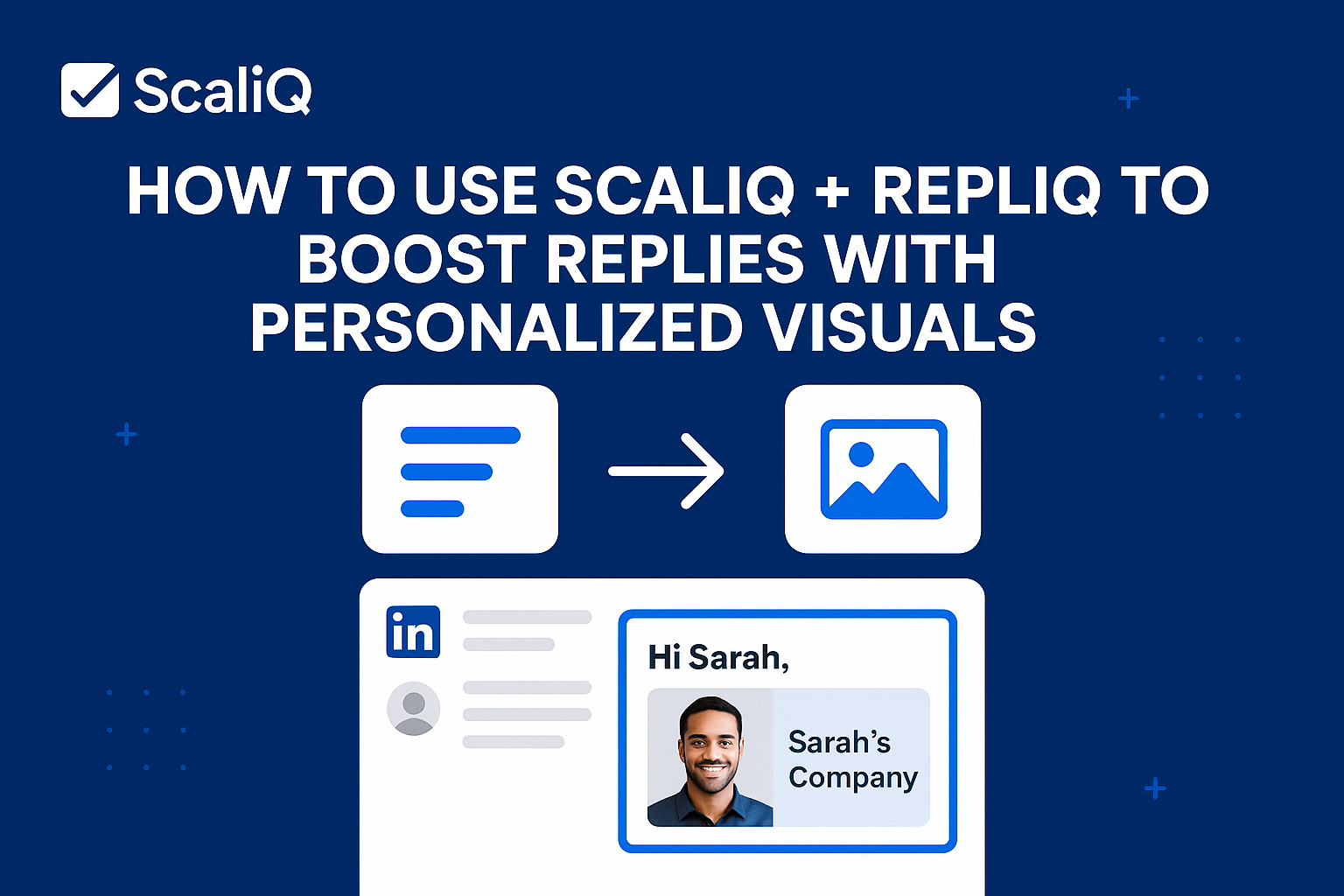
How to Use ScaliQ + RepliQ to Boost Replies With Personalized LinkedIn Visuals: The Definitive Blueprint
Table of Contents
- Introduction
- Why Personalized LinkedIn Visuals Dramatically Increase Replies
- Core Workflow: ScaliQ Messaging + RepliQ Visuals
- Examples of High-Impact Hyperpersonalized Outreach
- How to Scale Automation Across Large Campaigns
- Alternatives and Why the Combined Pipeline Wins
- Tools & Resources
- Future Trends & Expert Predictions
- Conclusion
- FAQ
Introduction
Your prospect’s inbox is a battlefield. Every day, dozens of generic, text-heavy LinkedIn messages flood their DMs, blending into a wall of gray noise. The average decision-maker spends less than three seconds scanning a message before deciding to delete or ignore it. If you are relying solely on text-based templates, you are fighting a losing battle against cognitive overload.
The data is clear: visual content is processed 60,000 times faster than text. When applied to outreach, personalized visuals can increase engagement rates by up to 65%. Yet, most sales teams struggle to implement this at scale. Manually creating a custom image for every prospect is impossible, and generic stock photos feel spammy.
This guide presents the solution: a unified workflow combining ScaliQ for hyper-personalized text and RepliQ for dynamic, personalized visuals. Together, they create a "pattern interrupt" that stops the scroll and drives 2–3x stronger reply rates.
While many guides cover text automation or image generation separately, this is the definitive blueprint for combining both into a single, high-performance pipeline. According to research on "personalized visual persuasion" found in arXiv datasets, aligning visual cues with personalized text significantly enhances persuasive impact.
By the end of this article, you will know exactly how to leverage ScaliQ as your message personalization engine and pair it with visual anchors to transform your LinkedIn outreach.
Why Personalized LinkedIn Visuals Dramatically Increase Replies
To understand why this workflow succeeds, we must look at the psychology of the recipient. LinkedIn users are conditioned to ignore "salesy" text blocks. When a message consists only of text, the brain quickly categorizes it as "low effort" or "mass automation."
Visuals disrupt this automatic filtering process. When a prospect sees an image containing their own name, company logo, or website interface, their brain registers it as highly relevant and novel. This "cocktail party effect"—where we instinctively focus on our own name or likeness—triggers immediate attention.
According to social media engagement research published in the Journal of Medical Internet Research (JMIR), visual content significantly outperforms text-only formats in driving user interaction and retention. In the context of LinkedIn, this means a personalized image doesn't just look nice; it signals to the prospect that you have done your homework, earning you the right to their attention.
The Science Behind Visual Persuasion
Recent studies on personalized visual persuasion (such as those analyzed in arXiv compendiums) highlight that persuasion is not just about the argument—it is about the delivery. The research indicates that when visual elements are tailored to the viewer's specific context (e.g., their industry, brand colors, or public profile data), trust is established faster.
Relevance reduces the cognitive load required to understand the message. Instead of forcing the prospect to read three paragraphs to understand who you are targeting, a single personalized image communicates "This is for you" instantly.
Why Images Beat Text-Only Messages
Text-only messages suffer from "skim behavior." Prospects read the first five words and the last sentence. If the value isn't immediately obvious, they leave.
Images, however, exploit novelty and pattern recognition.
- Speed: The human brain decodes the meaning of an image instantly.
- Differentiation: A custom image stands out physically in the LinkedIn inbox layout, which is predominantly white and gray text.
- Emotional Connection: Seeing one's own brand or website inside your message creates a subtle psychological bridge, making the outreach feel bespoke rather than generic.
Core Workflow: ScaliQ Messaging + RepliQ Visuals
The secret to scaling this strategy lies in the integration. You cannot rely on visuals alone—a great image with a terrible message will still fail. Conversely, a great message might never get read without a visual hook.
This workflow combines the best of both worlds:
- ScaliQ analyzes prospect data to generate hyper-personalized text hooks that resonate with their specific pain points.
- RepliQ generates unique images or videos for every single lead, embedding their digital identity into the visual.
This combination creates hyperpersonalized LinkedIn outreach messages that feel handcrafted but are executed at scale.
Step 1 — Feed Leads Into ScaliQ With Context (Title, Company, Trigger Events)
The foundation of any successful campaign is data. You begin by importing your lead list (sourced from compliant databases like Apollo or Sales Navigator) into ScaliQ.
ScaliQ is not just a template filler; it is an AI personalization engine. It uses data points such as:
- Job Title: To adjust the tone (e.g., strategic for CEOs, tactical for Managers).
- Company Description: To reference their specific industry challenges.
- Recent News/Trigger Events: To make the outreach timely.
Example of ScaliQ Contextual Logic:
- Input: "John, VP of Marketing at TechFlow."
- ScaliQ Output Hook: "Hi John, noticed TechFlow is scaling its demand gen—typically a challenge for VPs managing rapid headcount growth."
This deep text personalization ensures the "logic" of your pitch is sound before the visual adds the "magic."
Step 2 — Auto-Generate Personalized Visuals in RepliQ
Once your text strategy is set, you move to the visual component. This is where you use RepliQ to create the visual anchor.
In RepliQ, you upload a background template (e.g., a picture of you holding a whiteboard, or a tablet displaying a website). You then map dynamic fields to the image:
- {{prospect_website}}: Automatically captures a screenshot of their homepage and places it on the tablet screen in your image.
- {{first_name}}: Writes their name on the whiteboard in a handwritten font.
- {{company_logo}}: Overlays their logo on a coffee cup or presentation slide.
The result is AI personalized images that look like you took a photo specifically for them. RepliQ handles the rendering for thousands of leads in minutes.
Step 3 — Sync Visuals Back Into ScaliQ Messaging
With your text ready in ScaliQ and your images rendered in RepliQ, you sync the two. The RepliQ image URL is added as a custom variable into your ScaliQ message sequence.
Placement Strategy:
- Option A (The Pattern Interrupt): Place the image link immediately after the greeting. This ensures the preview loads instantly in the chat window.
- Option B (The Contextual Support): Write your opening hook (generated by ScaliQ), then say, "I made this quick summary for [Company Name]:" followed by the image.
This integration ensures that when the message lands, the prospect sees a cohesive narrative: text that speaks to their needs and an image that proves you are speaking directly to them.
Step 4 — Launch & Monitor Performance
Launch your campaign using your preferred automation sender (that integrates with ScaliQ/RepliQ outputs). You must monitor AI outreach analytics closely.
Key KPIs to Track:
- Reply Rate: The primary metric. Expect 20–30% on warm campaigns.
- Click-Through Rate (CTR): If your image links to a video or landing page, are they clicking?
- Positive Sentiment: Are the replies "Not interested" or "Thanks for the cool image, let's talk"?
Use these metrics to refine your templates. If the open rate is high but replies are low, your visual is working, but your offer (text) is weak.
Examples of High-Impact Hyperpersonalized Outreach
Theory is useful, but examples prove the concept. Below are three scenarios showing how hyperpersonalized LinkedIn messages transform outreach.
Example 1 — Founder-to-Founder Outreach
The Scenario: A SaaS founder pitching a partnership to another founder.
- Before (Generic): "Hi Mark, I see we are both in SaaS. I have a tool that helps with partnerships. Want a demo?" Result: Ignored.
- After (ScaliQ + RepliQ): Text (ScaliQ): "Hi Mark, impressive growth with [Company Name]’s recent Series A. As a fellow founder, I know scaling partner channels is the next big hurdle." Visual (RepliQ): An image of the sender holding a specialized "Partnership Roadmap" document with [Company Name]’s logo and Mark’s name printed on the cover. Result: "Wow, love the roadmap visual. How did you do that? Let's chat."
Example 2 — Sales Rep Targeting Directors
The Scenario: Selling SEO services to a Marketing Director.
- The Strategy: Use a website screenshot.
- Text: "Hi Sarah, noticed [Company] is ranking well for [Keyword], but missing out on some quick wins in the featured snippets."
- Visual: A picture of a laptop screen showing Sarah’s actual website with a red circle drawn around a specific missing optimization area.
- Result: High curiosity. The visual proves the rep actually "looked" at the site (even though AI did the work).
Example 3 — Agency Prospecting at Scale
The Scenario: A design agency offering rebranding services.
- The Strategy: Visual contrast.
- Text: "Hey Alex, your current branding is clean, but is it converting? We mocked up a quick refresh idea."
- Visual: A split screen image. Left side: Their current logo. Right side: A polished, modernized version generated by AI or a placeholder "Concept for Alex" graphic.
- Result: Immediate value demonstration. The prospect sees the potential outcome before even replying.
How to Scale Automation Across Large Campaigns
Scaling personalized LinkedIn visuals requires discipline. While ScaliQ and RepliQ handle the heavy lifting, your process must be robust to handle thousands of leads without errors.
Campaign Segmentation & Templates
Do not run one massive campaign for everyone. Segment your lists by industry or role.
- Segment A (CEOs): Use visuals that imply high-level strategy (charts, roadmaps).
- Segment B (Marketers): Use visuals that imply tactical wins (dashboards, website audits).
Create specific ScaliQ text templates for each segment so the language matches the visual context. Template personalization ensures that the "handwritten" note on the image matches the tone of the DM.
Automating Visual Variants for A/B Testing
Just as you A/B test subject lines, you must test personalized images.
- Variant A: Image of you holding a coffee cup with their logo.
- Variant B: Image of a whiteboard with their name and a growth chart.
Run these simultaneously to see which visual trigger yields a higher reply rate. You may find that C-level executives prefer the professional whiteboard, while creatives prefer the casual coffee cup.
Ensuring Consistency & Compliance
Automation must remain ethical and compliant.
- Data Accuracy: Ensure your source data (names/companies) is clean. A personalized image with a misspelled name is worse than a generic one.
- Compliance: Always adhere to LinkedIn’s Terms of Service and data privacy laws (GDPR/CCPA). Do not use scraping tools that violate privacy; rely on legitimate databases.
- Trust: Research from the Institute of Education Sciences (IES) regarding outreach effectiveness suggests that consistency in messaging builds trust. Do not use a "clickbait" image that has nothing to do with your offer. The visual promise must be fulfilled by the text.
Alternatives and Why the Combined Pipeline Wins
You might ask, "Can't I just use a single tool?" While tools like Lemlist, Hyperise, or Lavender are excellent in isolation, the ScaliQ + RepliQ combination fills specific outreach personalization gaps.
Why Single-Tool Image Personalizers Fall Short
Tools that focus strictly on images (like Hyperise) are powerful but often lack the deep textual intelligence of ScaliQ. You end up with a great image sent with a generic "Hi [Name], check this out" message. The dissonance between the high-effort image and low-effort text kills conversion.
Why Text-Only AI Tools Can't Compete
Text-AI tools (like Lavender or ChatGPT wrappers) can write excellent copy, but they cannot overcome the visual barrier of a crowded inbox. Even the best Shakespearean sales copy looks like a wall of text on a mobile screen. Without a visual anchor, you rely 100% on the prospect choosing to read.
The Unified Pipeline Advantage
The ScaliQ + RepliQ workflow wins because it addresses the full spectrum of engagement:
- Visuals grab attention (RepliQ).
- Text builds relevance and context (ScaliQ).
- Unified Workflow ensures the two elements "talk" to each other, creating a seamless, hyper-personalized experience that competitors using single-point solutions cannot replicate.
Tools & Resources
To execute this blueprint, you need the right stack:
- Primary Engine:
- ScaliQ: For AI-driven text personalization and smart hooks.
- RepliQ: For automated image and video personalization.
- Data Sources: Apollo.io or LinkedIn Sales Navigator (for clean input data).
- Sending Tools: Smartlead or Instantly (to deliver the emails/messages if using multi-channel).
Recommended Resources:
- RepliQ Template Library: Browse pre-made visual concepts (whiteboards, screens, mugs).
- ScaliQ Script Vault: Best-in-class text prompts for various industries.
- Checklist: Before launching, verify: Data Cleanliness > Image Rendering > Link Validity > Text Fallbacks.
Future Trends & Expert Predictions
The era of visual-first B2B sales is just beginning. Experts predict several shifts in the next 12–24 months:
- Generative Video at Scale: Beyond static images, we will see AI agents generating personalized 10-second videos where the avatar speaks the prospect's name and references their website in real-time.
- Adaptive Visuals: Images that change based on prospect behavior (e.g., if they clicked a link but didn't reply, the follow-up image changes to a "Missed you" concept).
- Simultaneous Generation: AI agents will eventually generate the text and the visual in a single pass, further tightening the relevance between the copy and the creative.
Early adopters of the ScaliQ + RepliQ workflow are positioning themselves ahead of this curve, mastering the logic of visual personalization before it becomes the industry standard.
Conclusion
The days of "spray and pray" text outreach are over. To succeed on LinkedIn today, you must earn attention before you can ask for interest.
By combining ScaliQ’s contextual intelligence with RepliQ’s visual stopping power, you create a two-punch combo that is hard to ignore. You differentiate yourself from the noise, prove your relevance instantly, and treat every prospect like a VIP—all while maintaining the efficiency of automation.
The Blueprint Recap:
- Enrich leads with deep context in ScaliQ.
- Generate attention-grabbing visuals in RepliQ.
- Sync them to deliver a unified, hyper-personalized message.
- Test, measure, and scale.
Don't just send messages; send experiences. Start building your visual outreach pipeline today.
FAQ
How do personalized images increase LinkedIn reply rates?
Personalized images leverage the "cocktail party effect" and pattern recognition. They break the visual monotony of the inbox and signal high effort and relevance, which psychologically compels the recipient to reciprocate with a reply.
Can ScaliQ + RepliQ scale to thousands of leads?
Yes. Both platforms are architected for high-volume automation. They utilize dynamic fields (like placeholders in a spreadsheet) to generate thousands of unique variations instantly, provided your input data is clean.
Do personalized visuals feel too salesy?
Not if they are value-driven. A picture of a "Sales Discount" sign is salesy. A picture of a "Website Audit" or "Strategic Roadmap" for their specific company is helpful and contextual.
Is this better than Lemlist or Hyperise?
While those are great tools, the combination of ScaliQ and RepliQ offers a superior workflow for unified personalization. ScaliQ handles the deep textual nuance that image-focused tools miss, and RepliQ handles the visual fidelity that text tools lack.
What types of visuals work best?
- Screenshots: Their website on a device screen (implies you audited them).
- Identity: Their name handwritten on a note or whiteboard.
- Branding: Their company logo on a professional object (notebook, coffee cup, slide deck).